Layout Pattern
List 3x Box
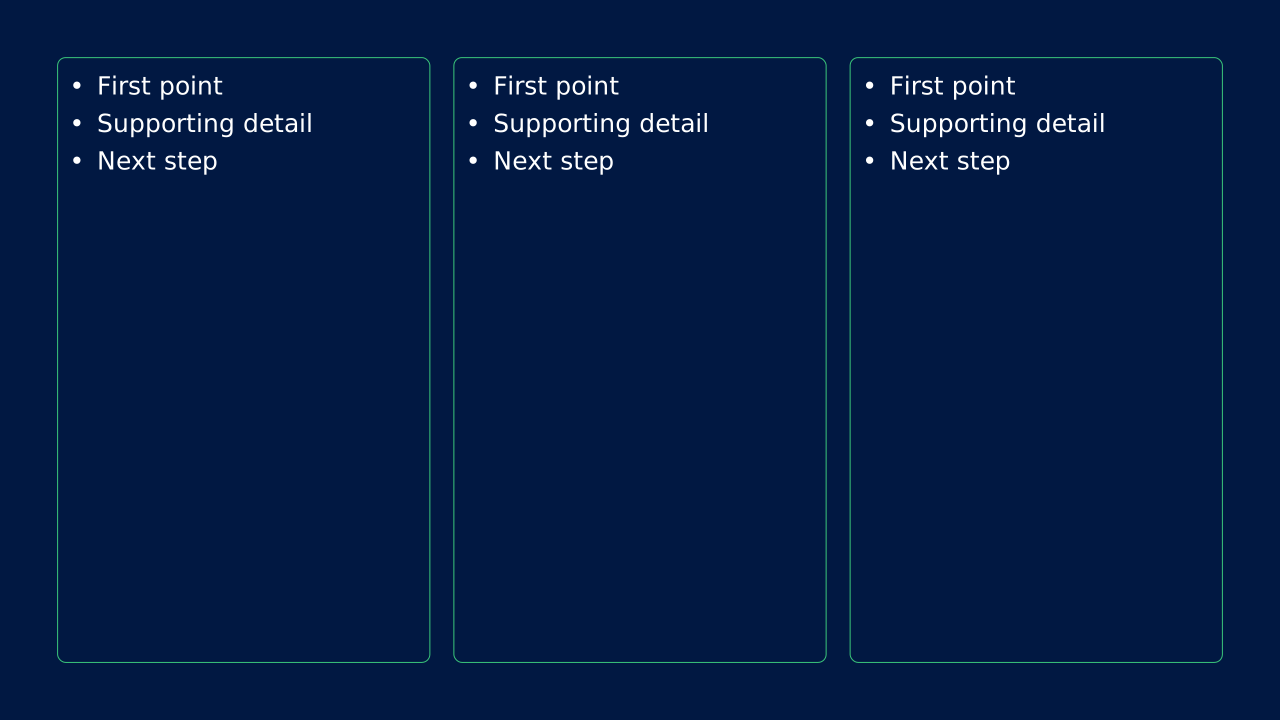
List 3x Box OPF layout with 3 list content zones.
How to Use It
List 3x Box OPF layout with 3 list content zones. OPF placeholders: list, list, list.
Content Zones
Try dynamic composition
Explore how a text slide reflows as you change its content and shape. These examples use OPF’s shared composition rules; the copied document includes your choices.
All sample text fits within its content areas.
View the complete OPF example
{
  "$schema": "https://openpresentation.org/schema/opf/v1",
  "name": "Dynamic composition example",
  "design": {
    "dimensions": {
      "widthInches": 13.333333333333334,
      "heightInches": 7.5
    }
  },
  "slides": [
    {
      "title": "Let the content find its space",
      "composition": {
        "mode": "auto"
      },
      "blocks": [
        {
          "text": "Start with the decision. State what the audience should understand or do."
        },
        {
          "text": "Show the evidence. Give each supporting idea enough space to be read."
        },
        {
          "text": "Make the next step clear. Keep the action specific and easy to remember."
        }
      ]
    }
  ]
}
Composition rules and examples as JSON · Pagination rules and example JSON
Related Layouts
Similar OPF layout slugs with matching content types, spatial patterns, or presentation use cases.
Text Explainer
List 3x Box SlideImage
List 3x Box SlideImage OPF layout with 3 list content zones.
/layouts/list-3x-box-slideimage
Text Explainer
List 3x Box Title Center
List 3x Box Title Center OPF layout with 3 list content zones and a slide title.
/layouts/list-3x-box-title-center
Text Explainer
List 3x Box Title Center SlideImage
List 3x Box Title Center SlideImage OPF layout with 3 list content zones and a slide title.
/layouts/list-3x-box-title-center-slideimage
Text Explainer
List 3x
List 3x OPF layout with 3 list content zones.
/layouts/list-3x
Text Explainer
List 3x ItemImage
List 3x ItemImage OPF layout with 3 list content zones.
/layouts/list-3x-itemimage
Text Explainer
List 3x ItemImage SlideImage
List 3x ItemImage SlideImage OPF layout with 3 list content zones.
/layouts/list-3x-itemimage-slideimage
OPF Config
layouts:list-3x-box{
"$schema": "https://openpresentation.org/schema/opf/v1",
"name": "PPTX.gallery — layouts/list-3x-box",
"tags": [
"gallery:layouts/list-3x-box"
],
"slides": [
{
"id": "gallery-preview-1",
"layout": "list-3x-box",
"blocks": [
{
"items": [
"First point",
"Supporting detail",
"Next step"
]
},
{
"items": [
"First point",
"Supporting detail",
"Next step"
]
},
{
"items": [
"First point",
"Supporting detail",
"Next step"
]
}
],
"design": {
"contentBox": true,
"contentAlignment": "center",
"contentDirection": "horizontal",
"listBullet": "character"
}
}
],
"catalogs": {
"layouts": {
"records": [
{
"$schema": "https://openpresentation.org/schema/opf-layout/v1",
"id": "list-3x-box",
"name": "List_3x_Box",
"label": "List 3x Box",
"contentAlignment": "Center",
"contentBox": true,
"contentMultiple": "3x",
"contentTypeChartPrimary": "None",
"contentTypeImageFill": "None",
"contentTypeListBullet": "Character",
"contentTypeListHeading": false,
"contentType": "List",
"groupDefault": true,
"groupHash": "682c9e6760f88cceef3df90674de0f163b8692c4f8f753260a832b7e5a859b22",
"master": "Dark",
"masterSlideIndex": 241,
"slideImage": false,
"slideImageAlignment": "None",
"slideLayoutDirection": "Horizontal",
"slideTitle": false,
"slideTitleAlignment": "None",
"summary": "Canonical OPF list 3x boxed layout.",
"description": "List 3x Box OPF layout with 3 list content zones.",
"tags": [
"List",
"3 zones",
"Center aligned",
"Boxed"
],
"preview": {},
"details": "List 3x Box OPF layout with 3 list content zones. OPF placeholders: list, list, list.",
"category": "text-explainer",
"zones": [
{
"role": "list",
"placeholder": "list content 1"
},
{
"role": "list",
"placeholder": "list content 2"
},
{
"role": "list",
"placeholder": "list content 3"
}
],
"spatialCategory": "3 zone row",
"contentTypeTags": [
"comparison",
"mixed",
"list"
],
"placeholders": [
{
"type": "list"
},
{
"type": "list"
},
{
"type": "list"
}
],
"composition": {
"mode": "row"
},
"slideSubtitle": false
}
]
}
}
}Preview this config live at pptx.dev/playground, or load it in the gallery visual editor.