Layout Pattern
Chart beside
Pair a chart with an explanation of its result. Keep the text focused on the pattern or decision supported by the data.
How to Use It
Pair a chart with an explanation of its result. Keep the text focused on the pattern or decision supported by the data.
Preview + source
Explore this layout
Pair a quantitative display with the interpretation the audience should take from it.
All people, quotations and business figures in these examples are illustrative.
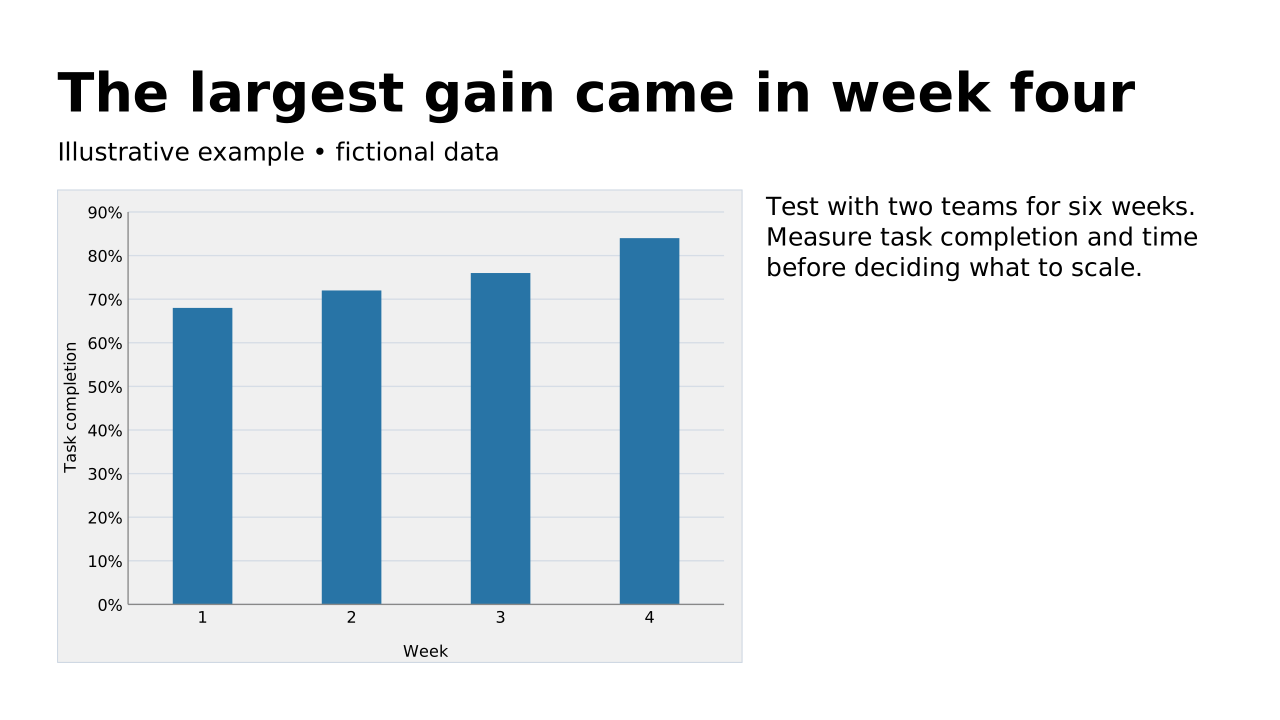
This prepared preview and the OPF describe the same example. Area outlines show measured allocation; toggling them does not change the slide.
Inspect compact default-catalog references. Your host must register the matching catalog; source identifies it without fetching over the network. Copy always includes complete embedded records.
{5 keys
"design": {1 keys
"slides": [1 items
{4 keys
"blocks": [2 items
{2 keys
"chart": {3 keys
"axisTitles": {2 keys
"data": {2 keys
"columns": [2 items
{2 keys
"rows": [4 items
[2 items
[2 items
[2 items
[2 items
{2 keys
"catalogs": {1 keys
"default": {1 keys
Layout structure and reference fields
How automatic composition differs
Try dynamic composition
Explore how a text slide reflows as you change its content and shape. These examples use OPF’s shared composition rules; the copied document includes your choices.
All sample text fits within its content areas.
View the complete OPF example
{
  "$schema": "https://openpresentation.org/schema/opf/v1",
  "name": "Dynamic composition example",
  "design": {
    "dimensions": {
      "widthInches": 13.333333333333334,
      "heightInches": 7.5
    }
  },
  "slides": [
    {
      "title": "Let the content find its space",
      "composition": {
        "mode": "auto"
      },
      "blocks": [
        {
          "text": "Start with the decision. State what the audience should understand or do."
        },
        {
          "text": "Show the evidence. Give each supporting idea enough space to be read."
        },
        {
          "text": "Make the next step clear. Keep the action specific and easy to remember."
        }
      ]
    }
  ]
}
Composition rules and examples as JSON · Pagination rules and example JSON
Related Layouts
Similar OPF layout slugs with matching content types, spatial patterns, or presentation use cases.
Visuals
Chart
Give a chart enough space to show its evidence. Use the title to state the conclusion and labels to explain the measures.
/layouts/chart
Visuals
Image beside
Explain a visual alongside its supporting text. Use the text to direct attention to the meaningful parts of the image.
/layouts/image-beside
Visuals
Table beside
Place a table beside its interpretation. Use the supporting text to explain the conclusion without repeating every cell.
/layouts/table-beside
Visuals
Code
Show a code example or technical excerpt. Keep the excerpt focused and use the title or caption to explain its purpose.
/layouts/code
Mixed
Dashboard
Bring several related measures and visuals into one overview. Keep labels and units consistent so the audience can scan the state quickly.
/layouts/dashboard
Visuals
Table
Present structured data that benefits from precise comparison. Use clear row and column headings and concise cell content.
/layouts/table