Bar Chart Preset
100% Stacked Bar
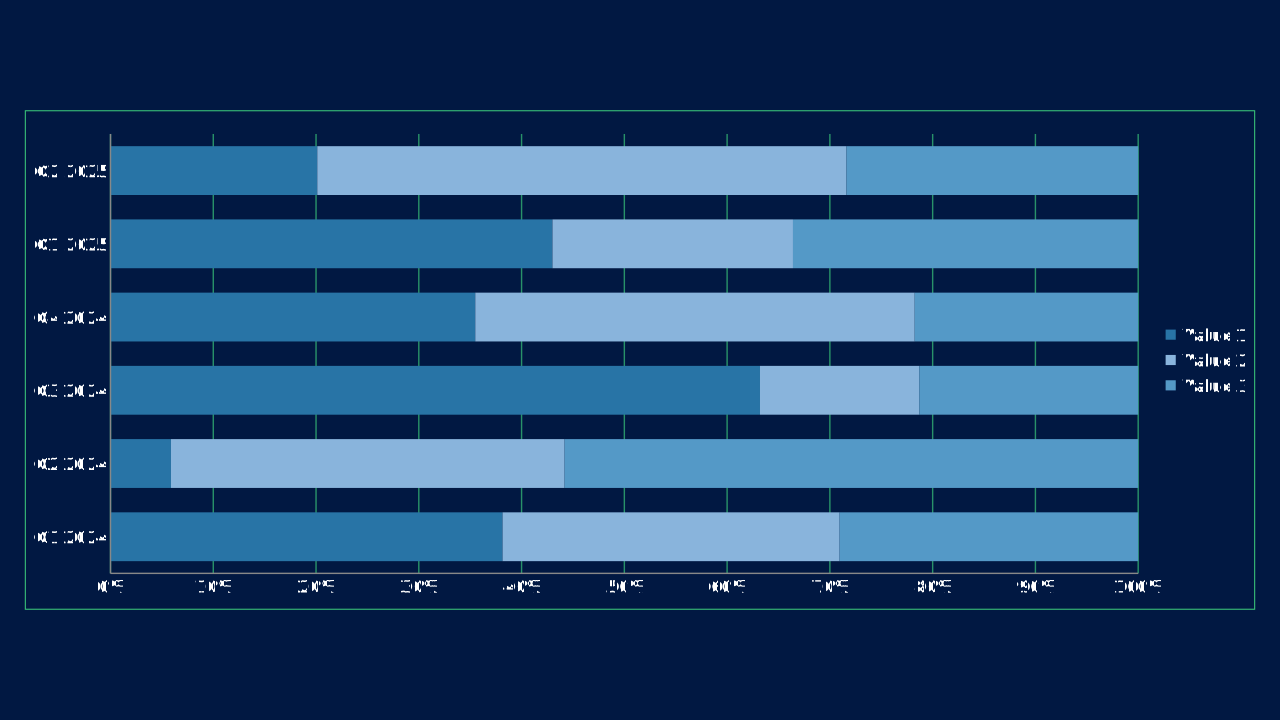
100% Stacked Bar is an OPF bar chart preset with canonical workbook metadata, sample data, and engine chart type mapping.
100pct-stacked-barOPF type: PERCENTS_STACKED_BARsimple
Use Case
Rank or compare categories when horizontal labels need room.
Data Requirements
3 series, 6 categories, flat category/series workbook
Group
Horizontal comparisons, ranked values, and progress-style measures.
Series
3 series across 6 categories
Workbook Range
Sheet1!$A$1:$G$4
When to Use
Use when category names are long, ranking is the main story, or progress should read left to right.
When to Avoid
Avoid for dense time-series narratives where a line or area chart communicates direction better.
Best Practices
1
Sort bars by value when ranking
2
Use a single accent for the key item
3
Keep category labels readable
Recommended Companions
OPF Config
charts:100pct-stacked-barOpen Presentation Format
{
  "$schema": "https://openpresentation.org/schema/opf/v1",
  "name": "PPTX.gallery — charts/100pct-stacked-bar",
  "description": "100% Stacked Bar is an OPF bar chart preset with canonical workbook metadata, sample data, and engine chart type mapping.",
  "tags": [
    "gallery:charts/100pct-stacked-bar"
  ],
  "slides": [
    {
      "id": "gallery-preview-1",
      "layout": "data-visualization",
      "title": "100% Stacked Bar",
      "subtitle": "Rank or compare categories when horizontal labels need room.",
      "chart": {
        "type": "100pct-stacked-bar",
        "data": {
          "columns": [
            "Category",
            "Value 1",
            "Value 2",
            "Value 3"
          ],
          "rows": [
            [
              "Q1 2024",
              67154,
              57739,
              51145
            ],
            [
              "Q2 2024",
              10221,
              66531,
              96951
            ],
            [
              "Q3 2024",
              78146,
              19171,
              26334
            ],
            [
              "Q4 2024",
              80575,
              97062,
              49363
            ],
            [
              "Q1 2025",
              97900,
              53279,
              76469
            ],
            [
              "Q2 2025",
              35825,
              91678,
              50538
            ]
          ]
        }
      },
      "design": {
        "contentBox": false,
        "contentAlignment": "left",
        "titleAlignment": "left",
        "contentDirection": "horizontal"
      }
    }
  ]
}
Open in visual editorOpen in Inspector
Load this config in the gallery's visual editor, or in the Inspector at pptx.dev.