Layout Pattern
Benchmark / Target Table
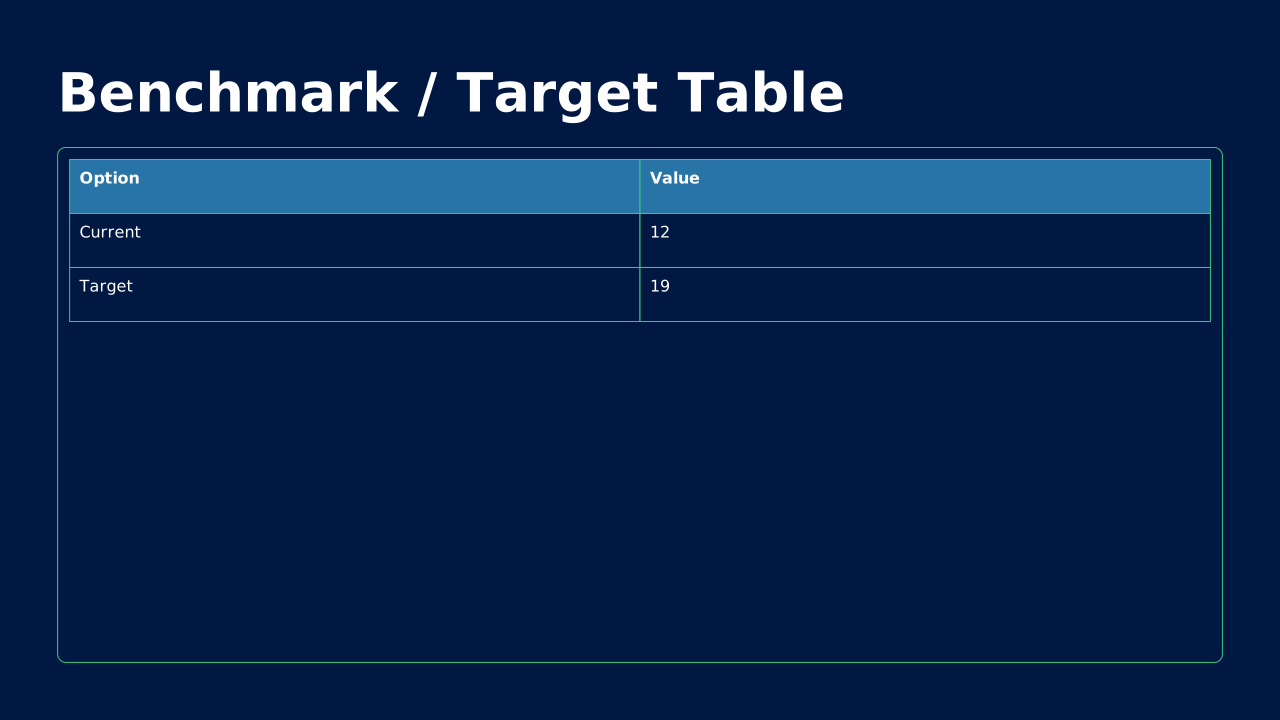
Table comparing our metric to industry benchmarks or internal targets. Context that raw numbers lack.
How to Use It
Table comparing our metric to industry benchmarks or internal targets. Context that raw numbers lack. OPF placeholders: title, table.
Content Zones
Try dynamic composition
Explore how a text slide reflows as you change its content and shape. These examples use OPF’s shared composition rules; the copied document includes your choices.
All sample text fits within its content areas.
View the complete OPF example
{
  "$schema": "https://openpresentation.org/schema/opf/v1",
  "name": "Dynamic composition example",
  "design": {
    "dimensions": {
      "widthInches": 13.333333333333334,
      "heightInches": 7.5
    }
  },
  "slides": [
    {
      "title": "Let the content find its space",
      "composition": {
        "mode": "auto"
      },
      "blocks": [
        {
          "text": "Start with the decision. State what the audience should understand or do."
        },
        {
          "text": "Show the evidence. Give each supporting idea enough space to be read."
        },
        {
          "text": "Make the next step clear. Keep the action specific and easy to remember."
        }
      ]
    }
  ]
}
Composition rules and examples as JSON · Pagination rules and example JSON
Related Layouts
Similar OPF layout slugs with matching content types, spatial patterns, or presentation use cases.
Data Analysis
Feature Comparison Matrix
Rows of features vs. columns of options with check/X marks. The no-argument way to show what wins on paper.
/layouts/feature-comparison-matrix
Business Strategic
Pricing Table
Tiered options in columns with feature comparisons. Makes your offering and value tiers crystal clear.
/layouts/pricing-table
Data Analysis
Decision Tree
Branching diagram showing choices and consequences. Makes decision logic visual and transparent.
/layouts/decision-tree
Data Analysis
Funnel / Pyramid
Tapered shape showing progression, conversion, or hierarchy. Visualizes stages, filtering, or organizational levels.
/layouts/funnel-pyramid
Data Analysis
Geographic Map
Map-based visualization of regions, territories, or location-based data. Turns spreadsheets into geography.
/layouts/geographic-map
Data Analysis
Heatmap / Cohort Grid
Color-intensity grid showing patterns across two dimensions. Surfaces trends that tables hide.
/layouts/heatmap-cohort
OPF Config
layouts:benchmark-target-table{
"$schema": "https://openpresentation.org/schema/opf/v1",
"name": "PPTX.gallery — layouts/benchmark-target-table",
"tags": [
"gallery:layouts/benchmark-target-table"
],
"slides": [
{
"id": "gallery-preview-1",
"layout": "benchmark-target-table",
"title": "Benchmark / Target Table",
"table": {
"columns": [
"Option",
"Value"
],
"rows": [
[
"Current",
"12"
],
[
"Target",
"19"
]
]
},
"design": {
"contentBox": true,
"contentAlignment": "left",
"titleAlignment": "left",
"contentDirection": "horizontal"
}
}
],
"catalogs": {
"layouts": {
"records": [
{
"$schema": "https://openpresentation.org/schema/opf-layout/v1",
"id": "benchmark-target-table",
"name": "Benchmark_Target_Table",
"label": "Benchmark / Target Table",
"summary": "Table comparing our metric to industry benchmarks or internal targets. Context that raw numbers lack.",
"description": "Table comparing our metric to industry benchmarks or internal targets. Context that raw numbers lack.",
"tags": [
"Benchmarks",
"Context",
"Performance"
],
"master": "Gallery",
"masterSlideIndex": 40,
"groupHash": "099253b7abe93f9b9463dd697c148e70f3f1ae757cdb49e8aa48086359d5c18f",
"groupDefault": true,
"contentType": "Table",
"contentMultiple": "1x",
"contentAlignment": "Left",
"contentBox": true,
"contentTypeChartPrimary": "None",
"contentTypeImageFill": "None",
"contentTypeListBullet": "None",
"contentTypeListHeading": false,
"slideTitle": true,
"slideTitleAlignment": "Left",
"slideImage": false,
"slideImageAlignment": "None",
"slideLayoutDirection": "Horizontal",
"zones": [
{
"role": "title",
"placeholder": "title"
},
{
"role": "table",
"placeholder": "table content 2"
}
],
"preview": {},
"details": "Table comparing our metric to industry benchmarks or internal targets. Context that raw numbers lack. OPF placeholders: title, table.",
"category": "data-analysis",
"spatialCategory": "single zone",
"contentTypeTags": [
"mixed",
"table"
],
"placeholders": [
{
"type": "title"
},
{
"type": "table"
}
],
"slideSubtitle": false
}
]
}
}
}Preview this config live at pptx.dev/playground, or load it in the gallery visual editor.