Layout Pattern
Data Visualization
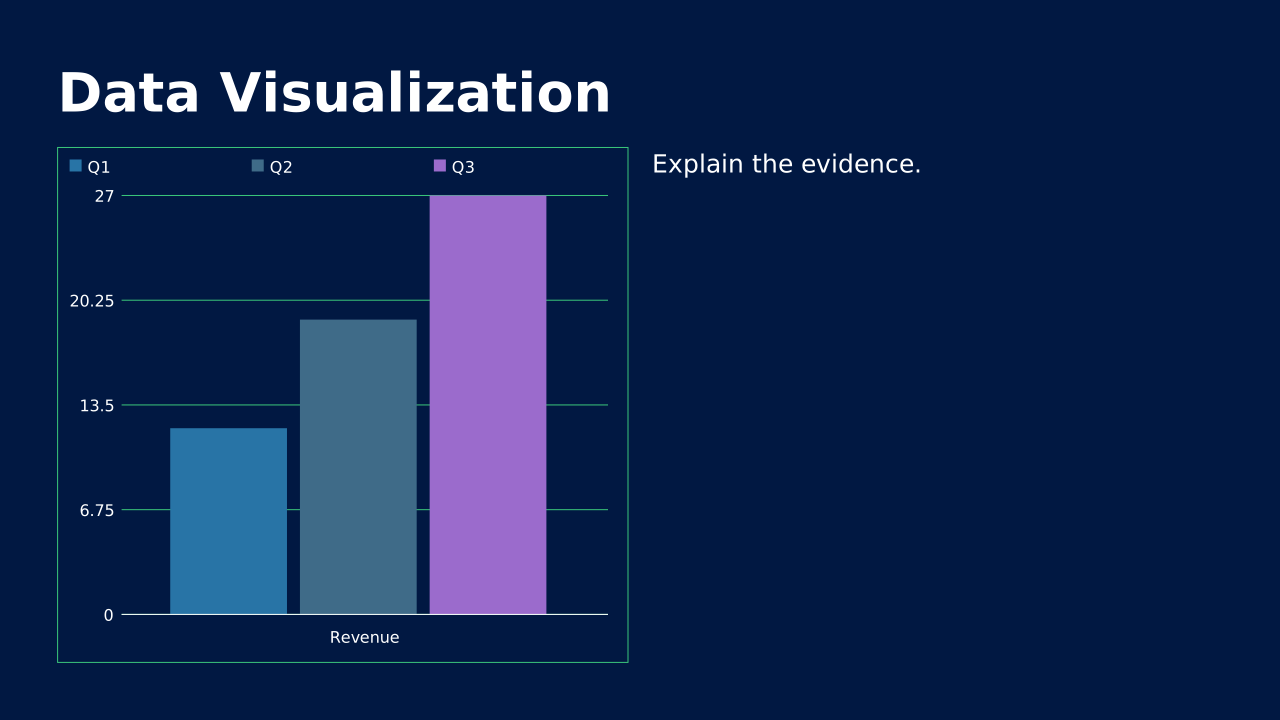
Clean charts and graphs with supporting text. Present complex data in digestible formats.
How to Use It
Clean charts and graphs with supporting text. Present complex data in digestible formats. OPF placeholders: title, chart, text.
Content Zones
Try dynamic composition
Explore how a text slide reflows as you change its content and shape. These examples use OPF’s shared composition rules; the copied document includes your choices.
All sample text fits within its content areas.
View the complete OPF example
{
  "$schema": "https://openpresentation.org/schema/opf/v1",
  "name": "Dynamic composition example",
  "design": {
    "dimensions": {
      "widthInches": 13.333333333333334,
      "heightInches": 7.5
    }
  },
  "slides": [
    {
      "title": "Let the content find its space",
      "composition": {
        "mode": "auto"
      },
      "blocks": [
        {
          "text": "Start with the decision. State what the audience should understand or do."
        },
        {
          "text": "Show the evidence. Give each supporting idea enough space to be read."
        },
        {
          "text": "Make the next step clear. Keep the action specific and easy to remember."
        }
      ]
    }
  ]
}
Composition rules and examples as JSON · Pagination rules and example JSON
Related Layouts
Similar OPF layout slugs with matching content types, spatial patterns, or presentation use cases.
Data Analysis
Forecast / Scenario Model
Multi-line chart showing base, upside, and downside projections. The honest way to present uncertainty.
/layouts/forecast-scenario
Data Analysis
Waterfall / Bridge
Step chart showing how a starting value becomes an ending value. Makes variances and drivers legible.
/layouts/waterfall-bridge
Data Analysis
Detailed Data Table
Full-slide data table for reference and Q&A. Dense on purpose, lives in the appendix.
/layouts/detailed-data-table
Data Analysis
Dashboard
Multiple small charts in a grid for an at-a-glance overview. Bird's-eye view of a business or function.
/layouts/dashboard
Data Analysis
Geographic Map
Map-based visualization of regions, territories, or location-based data. Turns spreadsheets into geography.
/layouts/geographic-map
Data Analysis
Heatmap / Cohort Grid
Color-intensity grid showing patterns across two dimensions. Surfaces trends that tables hide.
/layouts/heatmap-cohort
OPF Config
layouts:data-visualization{
"$schema": "https://openpresentation.org/schema/opf/v1",
"name": "PPTX.gallery — layouts/data-visualization",
"tags": [
"gallery:layouts/data-visualization"
],
"slides": [
{
"id": "gallery-preview-1",
"layout": "data-visualization",
"title": "Data Visualization",
"blocks": [
{
"chart": {
"type": "column",
"data": {
"columns": [
"Series",
"Q1",
"Q2",
"Q3"
],
"rows": [
[
"Revenue",
12,
19,
27
]
]
}
}
},
{
"text": "Explain the evidence."
}
],
"design": {
"contentBox": false,
"contentAlignment": "left",
"titleAlignment": "left",
"contentDirection": "horizontal"
}
}
],
"catalogs": {
"layouts": {
"records": [
{
"$schema": "https://openpresentation.org/schema/opf-layout/v1",
"id": "data-visualization",
"name": "Data_Visualization",
"label": "Data Visualization",
"summary": "Clean charts and graphs with supporting text. Present complex data in digestible formats.",
"description": "Clean charts and graphs with supporting text. Present complex data in digestible formats.",
"tags": [
"Charts",
"Analytics",
"Data"
],
"master": "Gallery",
"masterSlideIndex": 3,
"groupHash": "153f444c25792e384c219fafc5ca1a0324103c782fa01f0902391c0014076cad",
"groupDefault": true,
"contentType": "Chart",
"contentMultiple": "1x",
"contentAlignment": "Left",
"contentBox": false,
"contentTypeChartPrimary": "None",
"contentTypeImageFill": "None",
"contentTypeListBullet": "None",
"contentTypeListHeading": false,
"slideTitle": true,
"slideTitleAlignment": "Left",
"slideImage": false,
"slideImageAlignment": "None",
"slideLayoutDirection": "Horizontal",
"zones": [
{
"role": "title",
"placeholder": "title"
},
{
"role": "chart",
"placeholder": "chart content 2"
},
{
"role": "text",
"placeholder": "text content 3"
}
],
"preview": {},
"details": "Clean charts and graphs with supporting text. Present complex data in digestible formats. OPF placeholders: title, chart, text.",
"category": "data-analysis",
"spatialCategory": "2 zone row",
"contentTypeTags": [
"comparison",
"mixed",
"chart"
],
"placeholders": [
{
"type": "title"
},
{
"type": "chart"
},
{
"type": "text"
}
],
"composition": {
"mode": "row"
},
"slideSubtitle": false
}
]
}
}
}Preview this config live at pptx.dev/playground, or load it in the gallery visual editor.