Diagram
Sequence
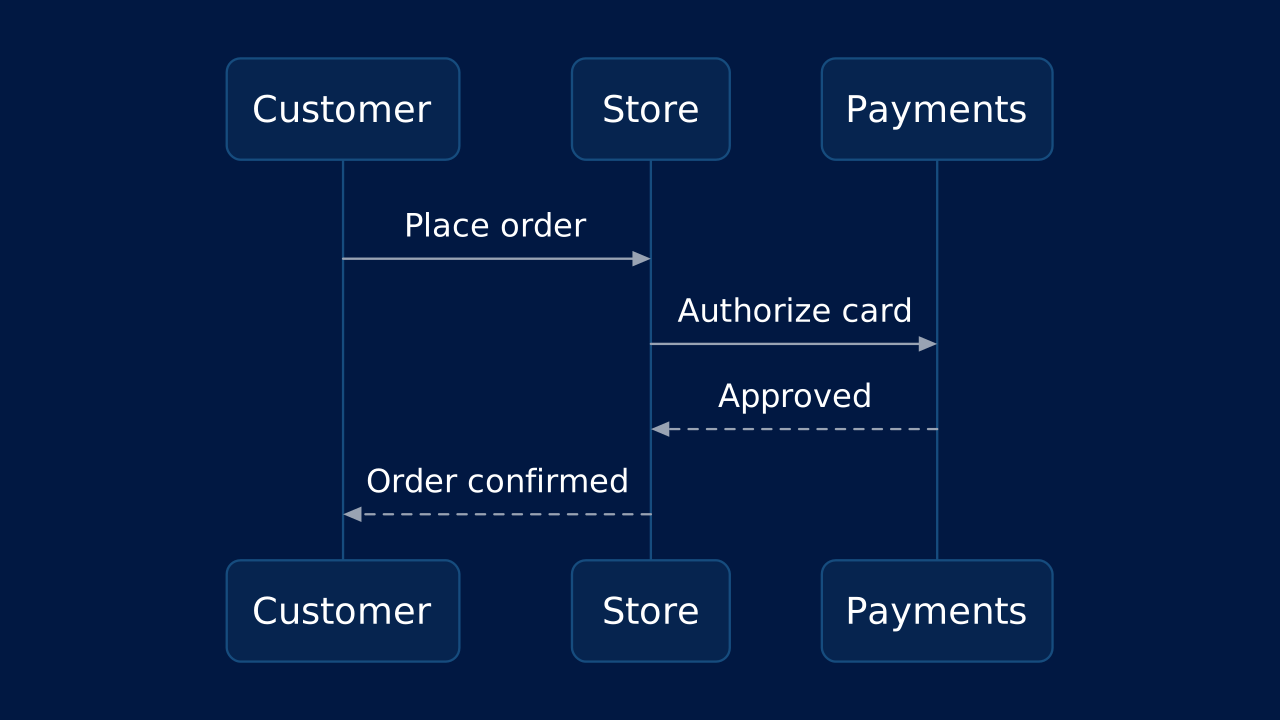
Use a sequence diagram to show the messages that pass between people or systems over time, such as the steps of a checkout.
sequencesequenceDiagram
First line
The first word of the source, sequenceDiagram, names the Mermaid family; the rest follows Mermaid's syntax for it.
Alt text
The customer places an order with the store, the store asks payments to authorize the card, payments approves and the store confirms the order.
Markdown
A mermaid fence is a diagram; alt is its text alternative.OPF Markdown
# Sequence

```mermaid alt="The customer places an order with the store, the store asks payments to authorize the card, payments approves and the store confirms the order."
sequenceDiagram
  participant C as Customer
  participant S as Store
  participant P as Payments
  C->>S: Place order
  S->>P: Authorize card
  P-->>S: Approved
  S-->>C: Order confirmed
```
Layouts That Take It
Give the slide one of these layouts to place the diagram in a region, or none to compose it automatically.
OPF Config
diagrams:sequenceOPF JSON
{
  "$schema": "https://openpresentation.org/schema/opf/v1",
  "name": "PPTX.gallery — diagrams/sequence",
  "description": "Use a sequence diagram to show the messages that pass between people or systems over time, such as the steps of a checkout.",
  "tags": [
    "gallery:diagrams/sequence"
  ],
  "slides": [
    {
      "id": "gallery-preview-1",
      "layout": "chart",
      "title": "Sequence",
      "diagram": {
        "source": "sequenceDiagram\n  participant C as Customer\n  participant S as Store\n  participant P as Payments\n  C->>S: Place order\n  S->>P: Authorize card\n  P-->>S: Approved\n  S-->>C: Order confirmed",
        "alt": "The customer places an order with the store, the store asks payments to authorize the card, payments approves and the store confirms the order."
      }
    }
  ],
  "catalogs": {
    "default": {
      "source": "https://www.pptx.gallery",
      "layouts": {
        "chart": {
          "name": "Chart",
          "summary": "One to six charts, with an optional note.",
          "tags": [
            "Visuals"
          ],
          "direction": "column",
          "regions": [
            {
              "name": "title"
            },
            {
              "name": "charts",
              "accepts": [
                "chart",
                "group",
                "diagram"
              ],
              "role": "primary",
              "flow": "grid"
            },
            {
              "name": "note",
              "size": "auto",
              "accepts": [
                "text"
              ],
              "role": "supporting",
              "flow": "none"
            }
          ],
          "description": "Give a chart enough space to show its evidence. Use the title to state the conclusion and labels to explain the measures.",
          "preview": {
            "vectorSrc": "https://www.pptx.gallery/layout-previews/chart.svg"
          }
        }
      }
    }
  }
}
Open in visual editorOpen in Inspector
Load this config in the gallery's visual editor, or in the Inspector at pptx.dev.